DOWNLOAD BAIT
Installation Instructions:
1
Download the zip file using the button above
2
Extract the zip file to a folder on your computer
3
Open Chrome or any browser, navigate to the extensions page by:
- • Typing
chrome://extensionsin the address bar, or - • Clicking "Manage Extensions" in More Settings
4
In the top-right corner, turn on "Developer mode"
5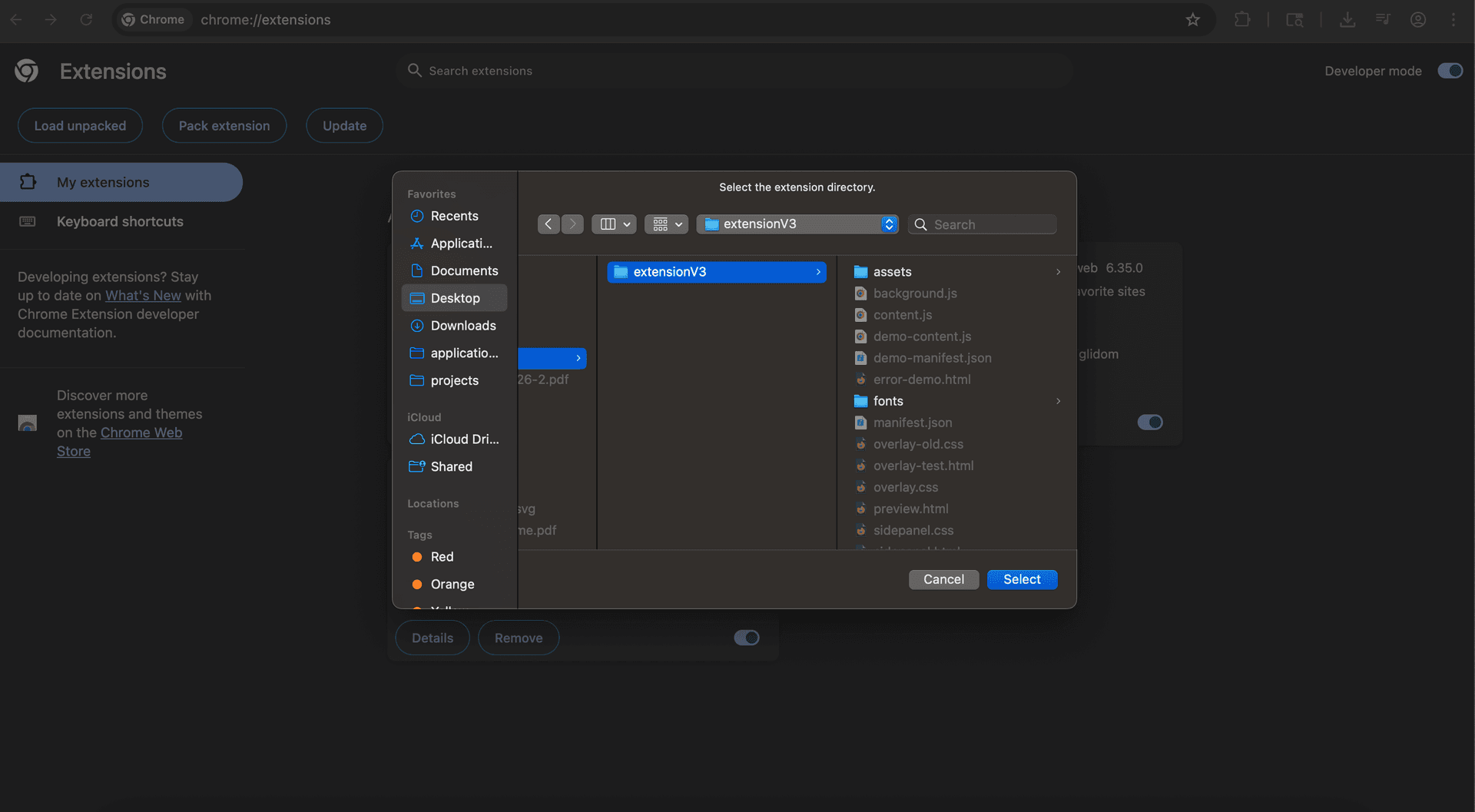
Click the "Load unpacked" button that appears on the top-left, navigate to the downloaded "bait_final" folder on your computer, and select it
6
Click the puzzle piece icon (Extensions) in the top-right of your Chrome toolbar
7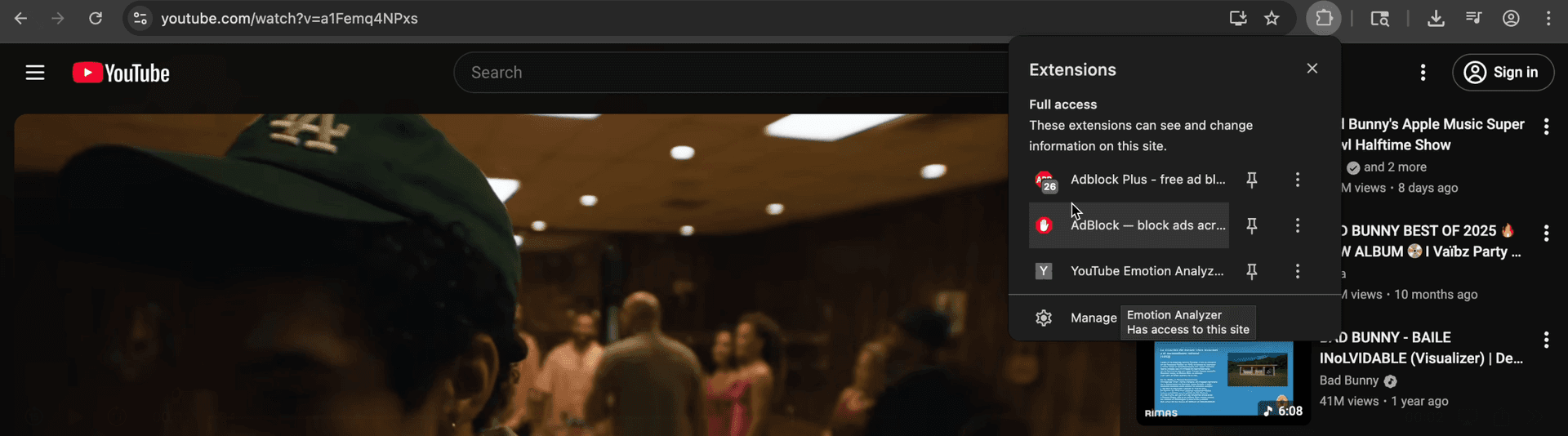
Find "YouTube Emotion Analyzer" in the dropdown and click on it to open the side panel
💡 Tip: Click the pin icon next to it to keep it on your toolbar for easy access
Need Help?
If you encounter any issues during installation, please contact our support team.
Send us a message